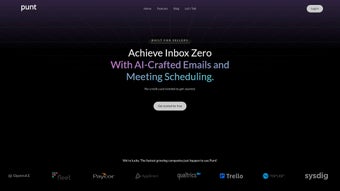

Download Punt – AI Email Writing Assistant, Secure & Fast
Punt is an AI‑powered writing assistant built specifically for web‑based email platforms such as Gmail and Outlook. Designed for professionals who spend a large portion of their day drafting, replying to, and managing email threads, Punt streamlines the entire composition process. By leveraging advanced natural‑language processing, the tool can suggest complete replies, summarize long conversation chains, and fine‑tune tone to match the desired level of formality.
The subscription‑based service offers a clean, intuitive interface that lives directly inside the email client, eliminating the need to switch between tabs or external editors. Whether you’re a sales executive chasing leads, a project manager coordinating tasks, or a customer‑support agent handling tickets, Punt promises to cut down the time you spend typing while ensuring every message remains polished, clear, and on‑brand. Its focus on security, seamless integration, and continuous AI updates makes it a compelling addition to any productivity stack.
Key Features that Transform Email Productivity
- AI‑Generated Drafts: Instantly create full‑sentence replies based on a brief prompt or key points you provide.
- Thread Summarization: Let Punt condense lengthy email chains into concise bullet points, so you never miss a critical detail.
- Tone & Style Adjuster: Choose from casual, professional, or persuasive tones, and the AI will rewrite your draft accordingly.
- Smart Subject Line Suggestions: Generate subject lines that increase open rates and reflect the email’s content accurately.
- Grammar & Clarity Checker: Real‑time suggestions for spelling, punctuation, and sentence structure to keep your communication error‑free.
- One‑Click Insert: Seamlessly inject AI‑crafted content into Gmail or Outlook with a single click, without leaving your inbox.
- Personalized Phrase Library: Save frequently used phrases or signatures and let Punt recall them instantly.
- Secure Cloud Sync: All AI processing occurs on encrypted servers, and no email content is stored permanently.
- Continuous Learning: The AI model updates monthly, adapting to new writing trends and corporate style guides.
- Cross‑Platform Accessibility: Works on Windows, macOS, Android, and iOS browsers via the same web extension.
Installation, Usage Instructions, and Compatibility
Getting started with Punt is straightforward. First, visit the official Punt website and click the Download for Chrome/Edge/Firefox button. The extension size is under 5 MB, making the download fast even on slower connections. After the browser prompts you to add the extension, confirm the permissions—Punt only requests access to your email domain to read subject lines and draft content, which is essential for its AI suggestions.
Once installed, you’ll notice a small “P” icon in the toolbar of Gmail or Outlook’s web interface. Clicking the icon opens a side panel where you can type a brief instruction (e.g., “Reply to John about the Q3 budget”) and let Punt generate a full draft in seconds. The panel also includes tabs for “Summarize Thread,” “Adjust Tone,” and “Saved Phrases,” giving you full control without leaving your inbox.
For mobile users, Punt offers a lightweight companion app available on the Google Play Store and Apple App Store. After installing the app, sign in with the same subscription credentials used on the desktop version. The mobile app mirrors the web functionality, letting you draft replies on‑the‑go while still benefitting from the same AI engine.
Supported Operating Systems: Windows 10/11, macOS 10.15+ (Catalina and later), Android 8.0+, iOS 13+. Punt runs entirely within supported browsers (Chrome, Edge, Firefox, Safari) and does not require a separate desktop client, which simplifies updates and reduces system overhead.
Updating Punt is handled automatically. Whenever the development team releases a new AI model or security patch, the extension refreshes in the background. Users receive a brief notification in the toolbar, but there is no need to manually download patches, ensuring you always benefit from the latest improvements without any extra effort.
Pros, Cons, and Frequently Asked Questions
Pros
- Reduces email drafting time by up to 60 % for most users.
- Highly accurate tone adjustment that matches corporate branding.
- Secure, encrypted processing—no permanent storage of email content.
- Works across major browsers and mobile platforms without extra software.
- Monthly AI updates keep the tool current with language trends.
Cons
- Requires a subscription; no perpetual free tier beyond a short trial.
- AI suggestions may occasionally need minor tweaking for niche industry jargon.
- Limited offline functionality—requires internet connection for AI generation.
FAQ – Your Punt Questions Answered
Is Punt compatible with both Gmail and Outlook?
Yes. Punt provides native extensions for Gmail, Outlook on the web, and Outlook desktop (via the browser interface). The AI features work identically across both platforms.
How does Punt protect my email privacy?
All content sent to Punt’s servers is encrypted using TLS 1.3. The service does not store raw email text after processing; only anonymized metadata is kept for a maximum of 24 hours to improve AI accuracy.
Can I customize the AI’s writing style?
Absolutely. Punt includes a “Style Settings” panel where you can select tone (formal, casual, persuasive) and even upload a company style guide. The AI will prioritize those guidelines in every suggestion.
What happens if I lose internet connectivity?
Since Punt’s AI runs in the cloud, an active internet connection is required for generation. However, any drafts you start manually remain saved locally in your email client, and you can resume AI assistance once the connection is restored.
Is there a free trial or money‑back guarantee?
Punt offers a 14‑day free trial with full feature access. After the trial, you can cancel anytime. Additionally, a 30‑day money‑back guarantee is available for new subscribers who are not satisfied.
Conclusion – Boost Your Email Efficiency with Punt Today
In a world where inbox overload is the norm, Punt emerges as a practical, secure, and AI‑driven solution that transforms how professionals handle email. By automating draft creation, summarizing lengthy threads, and fine‑tuning tone, the tool saves valuable minutes that can be redirected toward higher‑impact work. Its seamless integration with both Gmail and Outlook, cross‑platform availability, and commitment to privacy make it a trustworthy addition to any productivity toolkit. While the subscription cost may be a consideration, the time‑saving benefits and quality improvements often outweigh the expense for busy knowledge workers.
Ready to experience faster, clearer, and more confident email communication? Download Punt now, start your free trial, and see how AI can elevate your daily correspondence. Don’t let repetitive typing slow you down—let Punt do the heavy lifting while you focus on what truly matters.



.png)



